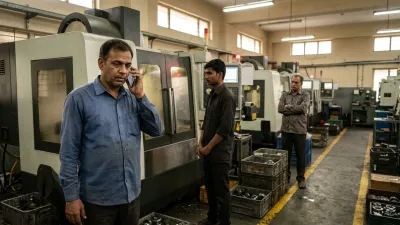
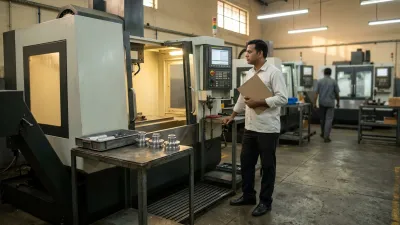
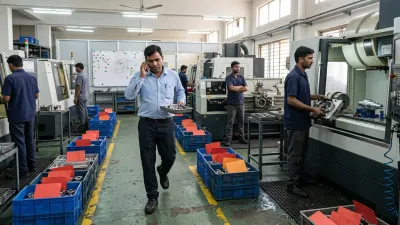
Walk through most CNC shops and look at what actually runs the work. Accounts are in Tally. The plan is in Excel. The latest on each job is in a WhatsApp group. And the real priority list is on a whiteboard, or in the supervisor's head.
Then one bad week happens: a job goes missing, a date is missed, the owner is asked "where is it?" and nobody can answer quickly. Someone says the shop needs an ERP. Someone else says the Excel just needs to be better. Both are partly right and mostly missing the point.
This guide compares Excel, ERP and a workflow system for a CNC job shop, in plain terms: the one difference that decides which fits, when each is the right answer, and what to settle before you spend money on any of them.
Quick Answer
Excel is enough while one person plans the work and can answer every status question. An ERP is the right choice when the pain is stock, purchasing and accounts. A workflow system built for your shop fits when jobs get stuck between operations and nobody owns them. Most shops end up with a mix, and the rules (when a job is released, who changes a priority, who updates status) matter more than which tool holds them.
Want a result for your own shop? The free Software Fit Check asks ten yes/no questions and gives one of these answers.
The Real Difference: When the Information Gets Entered
Most Excel vs ERP comparisons list features: reports, inventory, multi-user access. For a job shop, one difference matters more than any of those.
It is when the information gets into the system.
- In a spreadsheet, someone updates it after the work, when they have time. It is as current as the last update.
- In many ERP set-ups, someone in the office enters it after the work too, from a job card or a phone call, hours or a day later.
- In a workflow system, the people doing the work mark a job as it moves: released, started, waiting, done. The picture is current because it is a by-product of the work, not a separate task.
That is why a shop can own an ERP and still ask "where is my job?" The software is fine. The information arrives too late to be trusted. We cover this in Where Is My Job? and, for ERPs specifically, in Why ERP Systems Don't Fix Operational Chaos in CNC Shops.
Excel vs ERP vs Workflow System: Six Questions That Decide It
Here is how the three options answer the questions a shop owner actually asks. No option wins every row.
| The question | Excel | ERP | Workflow built for your shop |
|---|---|---|---|
| Where is this job right now? | Where it was when someone last updated the sheet | Where someone last entered it, often by stage and not by operation | Where the person holding it last marked it |
| Who is it waiting for? | Only if you add a column and someone fills it in | Rarely recorded, so you ask around | A blocked job has a named owner and a reason |
| Can I trust the delivery date I give? | Yes if one person checks machine load first, and that person is available | Only if routings, times and stock data are kept accurate | Yes if the date check is part of how a job is accepted |
| What happens when one person is absent? | The plan often stops with them | The data stays, but few people know how to read the schedule | The rules and status are shared, so others can carry on |
| How long until it works? | Today | Months of set-up and training | Weeks, once the rules are agreed |
| What are the downsides? | Versions, manual updates, one key person | Cost, complexity, and the floor bending to fit the software | Needs clear rules first, and someone to look after it |
Read it row by row and you will see why the honest answer is "it depends".
When Excel Is Enough
Excel is a good choice if all of this is true:
- One person plans the work and knows every job.
- The mix of jobs is fairly stable, so priorities don't change many times a day.
- The floor can walk to that person and ask. Nobody needs a screen.
- You don't have customers who need regular status updates.
In that case, a well-built sheet beats a badly used system. Build it around machine capacity and a ready check, and keep it alive with a short daily routine. Our guide to production planning in Excel has the setup and a free template. Excel also stays the right tool for quoting and one-off analysis, even in shops that move to something else for the live record.
When Should a Machine Shop Move from Excel to ERP?
There is no magic number of machines, jobs or people. Any article that gives you one is guessing. Move when the office side of the business starts to hurt:
- Material shortages keep surprising you because stock and purchase orders sit in different files.
- The same order is typed into Excel, Tally and a WhatsApp message, and the copies disagree.
- More than one person needs to edit the same record at once, and they overwrite each other.
- Quotes, costs and invoices can't be traced back to the job they came from.
If your pain is mainly on the floor (jobs waiting, no owner, priorities changing by the hour), an ERP is usually not the move. It records those problems, as we explain in the section below.
When an ERP Is the Right Answer
An ERP is the right answer when your pain is in the office side of the business:
- Stock, purchasing and material shortages are out of control.
- Invoices, GST and accounts need to connect to orders without re-typing.
- You need one record of customers, orders and costs that several people use.
- You are growing into a business where the owner can't see everything.
ERP is not outdated and many CNC shops need one. Tally is built for accounts, GST and stock; it isn't built to show which job is waiting for which tool on the floor, so it covers part of this list and not all of it. What an ERP does not do on its own is decide when a job should be released, who may change a priority, or what runs next on each machine. If you buy an ERP hoping it will fix those, you will usually be disappointed, and the floor will go back to the spreadsheet.
When a Workflow Built for Your Shop Fits
A workflow system sits between the two. It is not an ERP and it is not a spreadsheet: it is a small application that holds your shop's rules for moving a job from order to dispatch and shows everyone the same current picture.
It fits when:
- Jobs get stuck between operations, and the stuck job has no owner.
- Priorities change many times a day and the sheet or ERP can't keep up.
- Your process is particular to you: outside processing, rework loops, customer-specific checks.
- You already have an ERP or Tally for the business side and want the floor handled separately.
It does not fit when your rules are still unclear (nothing does), when a single person can still hold the whole shop in their head, or when your real problem is stock and accounts. It also has to be looked after, as any software does. And it is not a replacement for an ERP: it works alongside it, with the ERP handling orders, stock and accounts.
What Each Option Really Costs
We won't quote figures here, because they vary too much between shops and suppliers. What matters is knowing which costs to ask about:
- Excel: cheap to start, but you pay in the planner's time every day, in errors from stale copies, and in the risk that it all lives with one person.
- ERP: a licence or subscription is only the start. Ask about set-up, training, cleaning your part and routing data, changes after go-live, and how much of the shop floor it will actually cover.
- Workflow built for your shop: a one-time build plus upkeep. Ask who maintains it, how a rule change is made, and what happens to your data if you leave.
Whatever the supplier, ask how long it will take before the floor is using it every day. That answer tells you more than the price.
Fix the Rules Before You Pick Any of Them
Whichever way you go, the same questions come first. If they have no answer, the tool will record the confusion faster:
- When may a job be released to the floor? A ready check (material, program, tooling, drawing) is a good start.
- Who may change a priority, and how is the change passed on? If the answer is "whoever shouts loudest", read When Every Job Is Urgent.
- Who updates job status, and how soon? Late updates make any tool untrustworthy.
- Who holds the know-how? If it is one person, start with why your shop stops when you are away.
- How do shifts hand over? A free Shift Handover Tool and a checklist can cover this without any software.
Many shops find that after these are written down and used for a few weeks, the choice of tool becomes much easier, and sometimes much smaller than they feared. If you are not sure the cost justifies any tool yet, see what a shop loses by running without a workflow system and measure your own in a week.
You Don't Have to Replace Everything
The all-or-nothing framing is what makes this decision feel risky. In practice, a sensible shop keeps what works:
- Tally (or your accounts software): keep it for accounts and GST.
- Excel: keep it for quoting, costing and analysis.
- The live job record: the part that hurts most is usually here. Move that first, and run the old way alongside for a few weeks.
Before you promise a date from any of these, check it. The free Delivery Date Check takes five minutes and works whatever tool you use. And if the real question is whether late jobs come from planning or from the floor, how to improve on-time delivery walks through where the date is lost.
Example: Four Tools, One Real Problem
Take an example shop (hypothetical): 25 people, about 40 open jobs, accounts in Tally, a plan in Excel, status updates in a WhatsApp group. The owner is thinking about an ERP because a customer's job went missing between milling and inspection and nobody could say where it was for most of a day.
- Where the pain really is: not in stock or accounts, which Tally handles. It is in the handover between operations. The ERP would have recorded that job as "in progress" like the sheet did.
- Rules first: the shop agrees five statuses, a ready check before release, and one person who changes priorities.
- Lightest tool that holds them: a board in the production office, then a shared status list the operators update as the job moves.
- What stays: Tally for accounts, Excel for quoting. Nothing is switched off.
The owner may still buy an ERP later, for purchasing and stock, with a clearer idea of what it needs to do. The point is that the decision now follows the problem and not the other way round.
A Practical Way to Decide
If you would rather answer ten plain questions than read on, the free Software Fit Check gives you a result for your shop: Excel, an ERP, a system built around your floor, or the agreements to settle first. It runs in your browser, and nothing is sent unless you choose to message us.
- Write down where the truth lives today. List every place a job's status is kept: Tally, Excel, WhatsApp, whiteboard, a person.
- Find the one that hurts most. Late dates? Missing jobs? Stock? Stopping when one person is away?
- Agree the rules for that one thing. Release, priority, status and ownership, in plain words.
- Use the lightest tool that holds them. A sheet if one person can keep it; an ERP module if it is office or stock work; a workflow if the floor needs a shared, live picture.
- Run old and new together for a few weeks, then retire what you no longer need.
How We Solve This
We don't sell an ERP and we don't push you off Excel. At KeshRaghTech we start with an Operational Workflow Review: we walk your floor and see where jobs are released, prioritised and held up, and which of your existing tools are already doing their job. If a better spreadsheet or a clearer rule is enough, we say so. If the floor needs a shared, live picture, we design the release, priority and status rules around your shop and deliver them as a workflow application that runs alongside your ERP, Tally and Excel. Then we coach your team until it is routine.