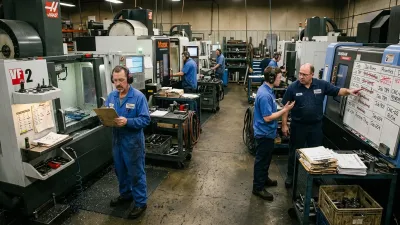
Walk into most CNC job shops and somewhere there's a spreadsheet running production. It lists every open order, colour-coded and carefully maintained by one person. And by eleven in the morning, the floor has stopped following it.
That's not a reason to throw Excel out. Production planning in Excel can work well for a job shop, often for years, if the sheet is built around how a job shop actually runs. Most aren't. They're order lists dressed up as plans.
This guide covers why most Excel production plans stop working, the four-tab setup that fixes it, a 15-minute daily routine that keeps it alive, and a free CNC production planning template you can download and use today. It also covers the honest part: the signs your shop has outgrown a spreadsheet.
Why Most Excel Production Plans Stop Working
The spreadsheet itself is rarely the problem. These four design mistakes are.
1. It's a list of orders, not a plan
Most sheets have one row per order: customer, part, quantity, due date, status. That tells you what's owed. It doesn't tell you whether the shop can make it in time, because it never asks how many hours each order needs on each machine.
2. Every machine is treated the same
In a job shop, one or two machines limit what the whole shop can ship, usually the busiest VMC, a grinder or an HMC. A plan that sequences every machine equally keeps the lathes busy while work piles up in front of the machine that actually decides delivery.
3. Jobs are released before they're ready
The sheet says a job starts Monday. Monday arrives and the material is still at the supplier, the program isn't proven or the fixture is on another job. The machine runs something else, the plan breaks, and from then on everyone plans around the plan.
4. Nobody knows which version is current
The planner's copy, the printout on the supervisor's desk, the screenshot on WhatsApp: by midday they all disagree. When the floor can't trust the plan, it falls back on the loudest priority of the moment. Do that for a few weeks and every job is urgent.
What a Production Plan in Excel Needs: 4 Tabs
A plan that works answers three questions: what's due, what's ready, and what fits on each machine. That takes four tabs, not one.
| Tab | What it holds | Key columns |
|---|---|---|
| Machines | Real capacity per machine or work center | Shifts per day, hours per shift, availability %, available hours, open load, load % |
| Jobs | Every open order, with a ready check | Job no, customer, quantity, due date, material / program / tooling / drawing ready, status, priority |
| Operations | Each job's route, in order | Job no, operation, machine, setup hours, run minutes per piece, total hours, status |
| Daily Plan | Today's sequence per machine, for the floor | Machine, sequence, job, operation, planned hours, done yes/no, reason if not |
The link between the tabs is what makes it a plan. Operations add up into machine load, so you can see whether the open work fits before you promise a date.
How to Set Up Production Planning in Excel: 6 Steps
1. List your machines with honest hours
For each machine: shifts per day × hours per shift × availability. Availability is the share of time it really cuts after breaks, setups, waiting and breakdowns. If you don't know it, start with 80% and measure for a week. A machine planned at 100% is a plan that's late before it starts.
2. Add every open job with a ready check
Next to each job, four Yes/No columns: material ready, program ready, tooling and fixture ready, drawing or QC plan ready. A formula such as =IF(AND(F5="Yes", G5="Yes", H5="Yes", I5="Yes"), "Ready", "Not ready") marks the job. Only Ready jobs get released.
3. Break each job into operations
One row per operation: turning, milling, grinding, deburr, inspection. Each gets a machine, setup hours and run minutes per piece. Total hours is setup + quantity × run minutes ÷ 60. Mark operations Done as they finish. This one habit keeps everything else true.
4. Let the sheet add up machine load
On the Machines tab, total the hours of all open operations per machine with SUMIFS, for example =SUMIFS(Operations!H:H, Operations!D:D, A5, Operations!I:I, "<>Done"), then divide by the week's available hours. The machine with the highest load % is your likely bottleneck.
5. Plan the bottleneck first
Sequence the busiest machine first, by due date and priority. Then plan the other machines to feed it. A lathe that runs ahead of the bottleneck doesn't speed anything up. It just adds work-in-progress in front of it.
6. Close the loop every day
The daily plan gets a Done column and a reason for every line not done: material, program, breakdown, priority change, setup overran. After two weeks, that column tells you more about why delivery slips than any report.
Example: Seeing the Week's Real Limit
Take an example shop (the numbers are hypothetical, and they're the sample data in the free template). Eight machines, eight open jobs. Most machines are lightly loaded this week: the lathes at 19–34%, inspection at 40%. One stands out: VMC 1 carries about 57 hours of open work against roughly 77 available hours, a 74% load.
Now a customer asks for a rush order needing 40 hours on VMC 1. Without the load figure, the answer would be "yes, we have spare capacity": most machines look idle. With it, the picture is clear: VMC 1 would go to about 126% of its week. Accepting means another job slips, so you choose which one, and tell that customer today rather than on the due date.
If your customers change their schedules every week, read when the OEM changes the schedule for how to check each change and answer with a date.
That's the real value of production planning in Excel done properly. Not a prettier list, but a "can we promise this?" answer before you promise it.
The 15-Minute Daily Routine That Keeps the Plan Alive
- Update yesterday (5 min): mark finished operations and jobs Done.
- Check the bottleneck (2 min): which machine has the highest load, and is anything in red?
- Release only ready jobs (3 min): in priority order, and fix any job released before it was ready.
- Plan today (5 min): bottleneck first, then the machines that feed it. Print it.
- One plan, one owner: one file, and one person who changes priorities. Everyone else asks them.
At the end of the shift, five more minutes: mark each planned line done or not, and record why. That's the whole system.
Free Template: CNC Job Shop Production Planning in Excel
We built a free production planning template around exactly this setup, for CNC job shops:
- Machines: capacity per machine, open load, load %, and your busiest machine highlighted
- Jobs: a ready-to-release check, priority, days to due, and warnings for late jobs or jobs released before they were ready
- Operations: each job's route with setup and run times, totaled automatically
- Daily Plan: a printable plan per machine, with done / not done and a reasons summary
It's a normal .xlsx file: no macros, no sign-up. Overwrite the example data with your own.
Download the CNC production planning template (Excel)
Excel vs ERP vs a Workflow System for Production Planning
| Excel | ERP | Workflow system | |
|---|---|---|---|
| Best for | One planner, a stable mix of work | Accounts, inventory, purchasing, invoicing | Running the daily flow of jobs on the floor |
| Who updates it | One person, at a desk | Office staff, after the fact | The people doing the work, as it happens |
| Live job status | No: as current as the last update | Rarely at operation level | Yes: built around it |
| Fits your shop's rules | Yes, if you build them in | You adapt to its rules | Yes: designed around how you run |
| Typical weak point | Versions, manual updates, one key person | Shop floor detail, expediting reality | Needs clear rules first, like everything else |
Many shops buy an ERP expecting it to fix planning, and find the floor still runs on the spreadsheet. We explain why in Why ERP Systems Don't Fix Operational Chaos in CNC Shops.
6 Signs Your Shop Has Outgrown Excel Planning
- The plan is out of date by mid-morning, every day
- Several versions are in use and nobody is sure which is current
- The planner spends more than an hour a day keeping the sheet current
- Priorities change several times a shift and the sheet can't keep up
- Status means walking the floor or calling the supervisor (see "where is my job?")
- Planning stops when one person is on leave
If three or more sound familiar, a better spreadsheet won't fix it. The plan needs to live where the work happens, updated by the people doing it.
How We Solve This
At KeshRaghTech we start with an Operational Workflow Review: how your plan is built today, where it breaks during the day, and which rules the floor actually follows. Then we design clear planning, release and priority rules around your shop, and deliver them as a workflow application built for how you run, so the plan, the ready check and job status live in one place the whole team uses. Finally, we coach your team until running it is routine. Many shops keep using Excel for parts of their planning. The difference is that the floor finally runs on one plan.
Related reading: Why CNC Schedules Fail Every Day · Why Your WIP Keeps Increasing · Why Machine Utilization Numbers Are Lying to You · When the OEM Changes the Schedule · When Every Job Is Urgent · Where Is My Job?